Bullet Journal
Bullet journaling is the process of taking your immediate train of thought and putting it on paper. To keep track of everything you write, each day, add the date. When you are finished writing, add that dated entry to an index at the start of the journal.
Introduction by the author: https://www.youtube.com/watch?v=fm15cmYU0IM
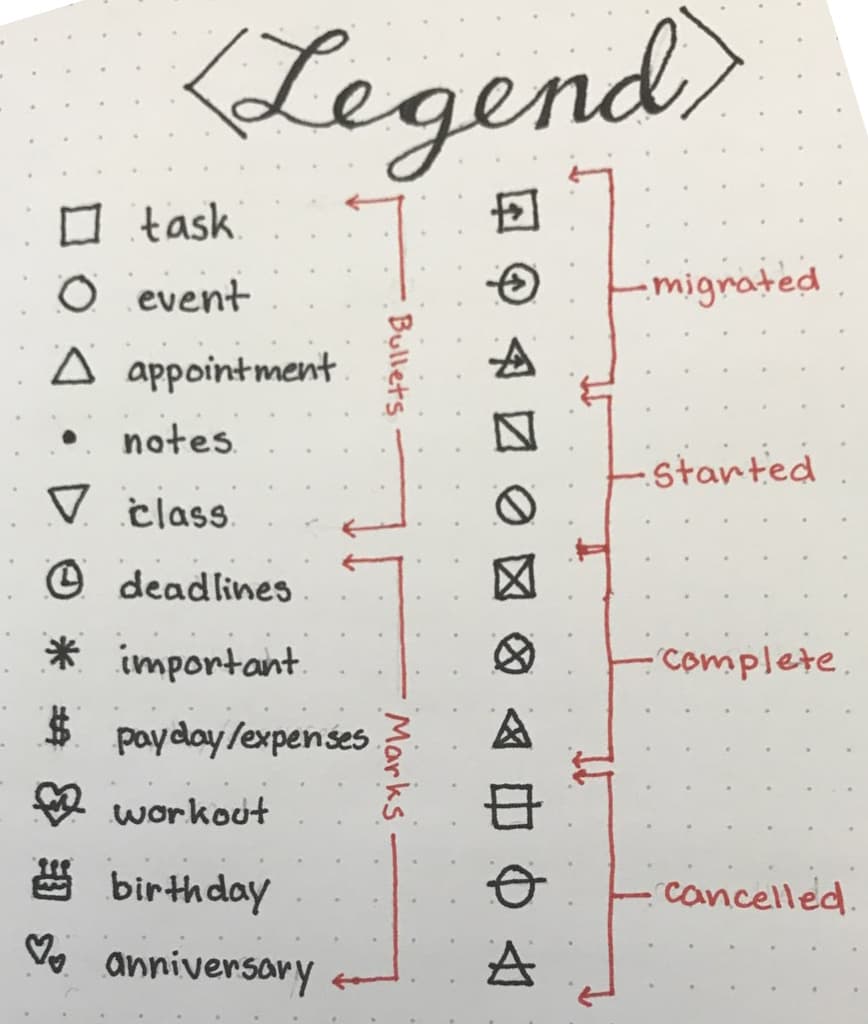
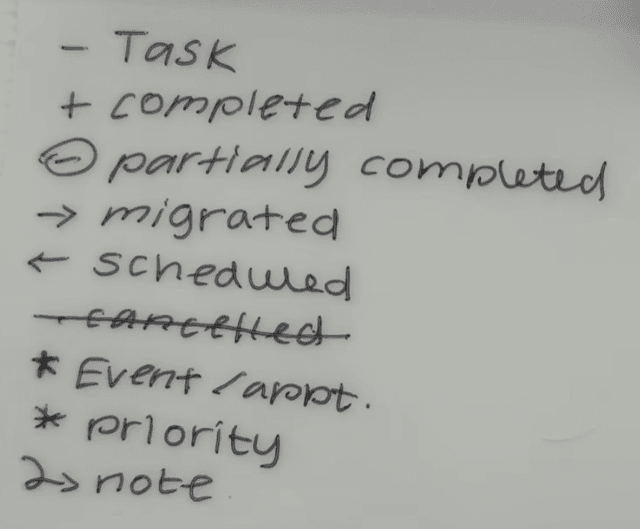
For tasks and to do items use a • Notes and observation use a - Appointment use a o
Signifiers add extra context to the Bullet Journal. This helps you to see at a glance what the bullet represent. You do not need to add a Signifier to each Bullet, only the ones you’d like to have more information about stand out. You place these to the left of the Bullets. Here are some examples:
- = Priority Eye - Explore ! - Inspiration.
Examples of how you combine Signifiers with Bullets: $ • Buy ink
- O 9AM phone call ! - Timer bubble-bath
You can create your own Bullets and Signifiers as you see fit. For example, you can use a checkbox instead of a dot for a Task.
Once you start getting used to that, you can add "pillar pages" to keep things more organized.
Starting a new journal:
- number pages
- create index page(s)
Classical way is to have a year, month and daily:
-
Future log
-
Monthly log
-
Daily log
-
In the daily log write things to accomplish (marked by a dot),
-
events coming up (denoted by a circle)
-
random notes (indicated by a dash).
To mark something as a priority, add a star next to it.
Other type of notes:
- Any topic that is of interest
- Group related thoughts as collections
- Trackers
All note types have index entries
Periodically review all tasks. Cross out completed tasks. Still relevant tasks are migrated. Turn the dot into a right arrow and copy to next month’s log. If not relevant forget about it and cross out the item.
Migration '>' migrate to next month '<' migrate to future log
Threading is an awesome page numbering trick. Let's say you have similar information spread across several nonconsecutive pages. You can certainly look at your Index to see what pages you need, for example "12-14, 22, 35." It's a lot of flipping but not impossible. But once threading comes into play, it's simpler. Just write the next relevant page number next to the current one. So if you're on page 14, you can look at the bottom of that page, see the number 22, and know that's the next relevant page to flip to. Page 22 will have 35 at the bottom of it, and the cycle continues. It's not necessary all the time, but it's helpful when things are spread out.